Make and edit videos with AI agents

Create an editable video from a brief or have an AI agent cut, caption and rearrange footage on a timeline.

Explore the candidates

Filter candidates

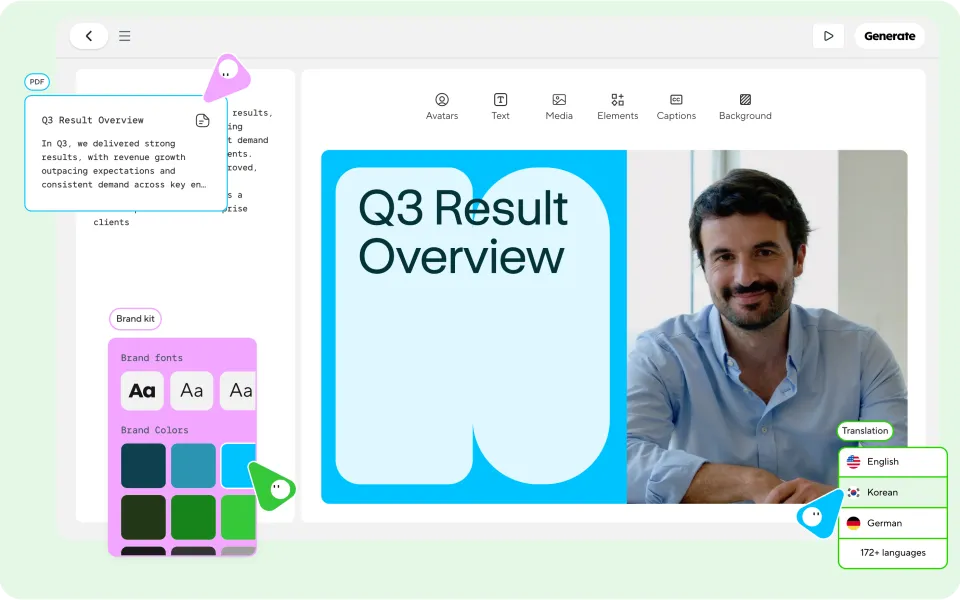
HeyGen

Create an editable avatar video from a prompt or script.

Create & RepurposeFreeMake videos with an agent+1
Details & limits

Why it fits Video Agent creates an editable, presenter-led video from a brief or script.

PrepareAn approved script or brief and usable brand assets.

GetAn editable presenter video draft with scenes and captions.

ReviewReview the script, pronunciation and avatar rights before exporting.

Keep in mindVideo Agent features, models and clip allowances depend on the HeyGen plan.
HyperFrames

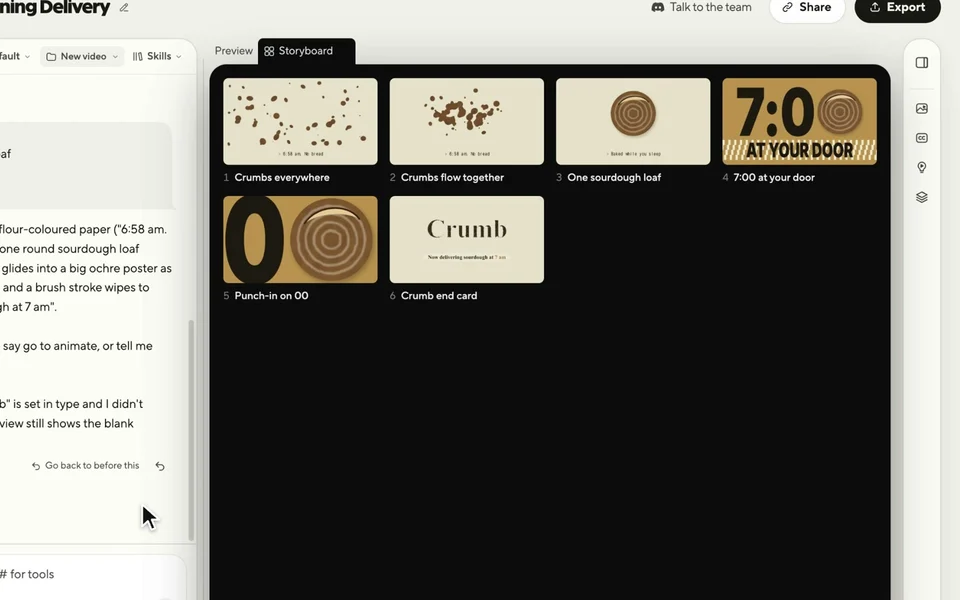
Author editable videos with an AI agent using Studio, HTML compositions or a hosted chat connector.

Create & RepurposeFreeMake videos with an agent
Details & limits

Why it fits An AI agent can author a reusable composition, edit footage and hand off editable files.

PrepareA video brief, HTML composition, or permitted footage, images and audio.

GetEditable scene files and a local MP4, WebM or MOV where supported.

ReviewPreview generated scenes, check text and sound, and render a short sample before committing to a delivery format.

Keep in mindStudio runs on macOS, Windows and Linux and requires HeyGen sign-in. Local CLI rendering requires Node.js 22 or newer and FFmpeg.

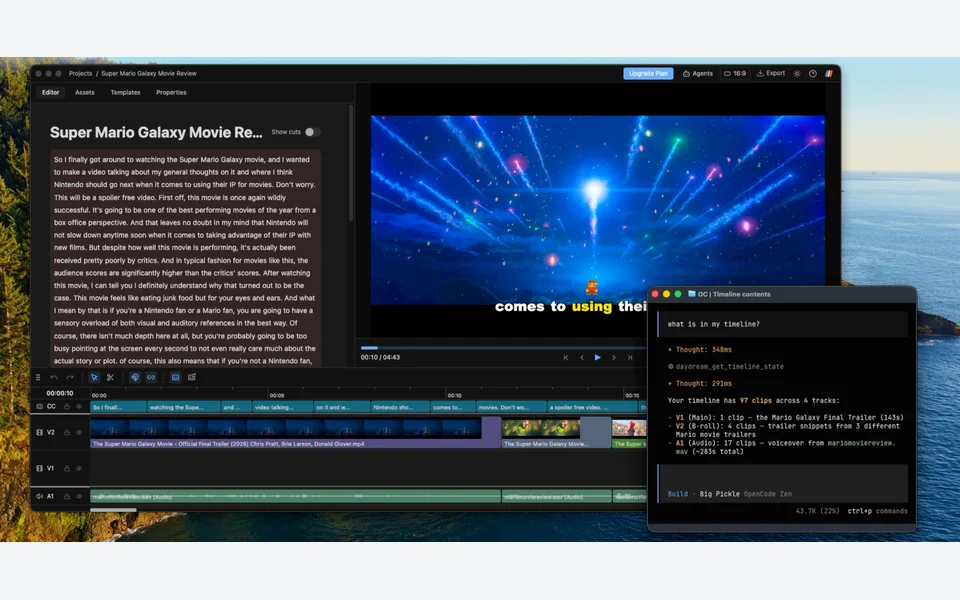
Daydream

Give an AI agent your existing footage and review its edits on a real video timeline.

Create & RepurposeFreeMake videos with an agent
Details & limits

Why it fits An agent can edit an existing project and leave inspectable changes on the timeline.

PrepareLocal videos, audio and images, plus the edit instructions and target aspect ratio.

GetAn editable timeline and a watermark-free MP4 or an XML timeline handoff.

ReviewReview the timeline and play the final export. Keep source media available when handing off an XML.

Keep in mindThe app runs on macOS on Apple Silicon and Intel, or 64-bit Windows 10 22H2 and Windows 11.

01 / Prepare

A brief or existing footage, an aspect ratio and any required brand assets

02 / Expect

An editable video project or timeline and a rendered file

03 / Review

Watch the whole export and check timing, claims, captions, audio and rights to the assets.

Choose the deliverable before the agent

Start from a brief when you need a new composition. Start on an editable timeline when the source footage already exists. For a handful of highlights from a single long recording, use the separate clipping workflow.

Make an editable video from a brief

Use an agent to build a new composition or a scripted presenter video. Keep project assets so you can revise the result.

  • Use Studio for interactive edits, or give a coding agent the skills to build HTML scenes and render locally. The beta hosted connector makes a default MP4 in supported chat apps.

    Before choosing
    Choose how to render and check which agent, cloud export and generated media credits apply.

    Pricing and billing details

    The Apache 2.0 framework and local renders have no HyperFrames fee. Studio Free lists unlimited local exports, 3 AI video clips per month and 5,000 starting credits. Studio Pro is USD 25/month with 25,000 credits/month. Your agent, model APIs and the hosted connector have separate access and billing conditions.

    Official pricing ↗

    Pricing checked:

  • HeyGen

    Use Video Agent for a presenter-led video from an approved script or brief.

    Before choosing
    Review avatar rights, supported languages and export allowance for your plan.

    Pricing and billing details

    A limited free plan and premium-feature trial access are available. Paid plans use credits; generation cost varies by model, duration and complexity.

    Official pricing ↗

    Pricing review pending

Edit the footage you already have

Keep the source files and give the agent an editing brief. Review cuts and captions on the timeline before export.

  • Daydream

    Let an agent cut by transcript, arrange B-roll and generate captions inside Daydream. Hand off a local MP4 or XML for further editing.

    Before choosing
    Keep Daydream open for external MCP clients. Check monthly tool calls and keep original media available for XML imports.

    Pricing and billing details

    Free includes unlimited watermark-free exports up to 4K, 1 hour per month each of transcription and video processing for search, and 100 MCP tool calls per month. Creator is USD 25 per seat monthly or USD 20 per seat per month billed yearly and includes unlimited MCP calls.

    Official pricing ↗

    Pricing checked:

Run a short test before you commit

  1. Pick one scene or a short section of the timeline and write what should change.
  2. Open the editable result and inspect it before comparing the rendered file.
  3. Check export resolution, audio and credits on the exact account you plan to use.
Picking highlights from one long recording? Compare AI clippers →

How to choose

Use HyperFrames for a reusable HTML composition, Daydream for an edit on an existing timeline, or a clipping tool to pick highlights from one long recording.

Official product information has been reviewed. These candidates have not all been tested by Agenlify on this task.

Before you start

  1. Decide whether you need a new composition or an edit of existing footage.
  2. Confirm how your agent connects and where the render runs.
  3. Run one short export and check the file format, watermark and usage limits.
What is missing from this guide?Suggest a correction →