AI agent

Relevance AI

Build specialist agents with connected tools, evaluations and approvals.

Details checkedReviewed 2026-10-01

Decide at a glance

Best for

Teams creating repeatable, bounded business agents.

Requires setup

Pricing, with context

Current plan prices and usage allowances were not verified. Confirm the required plan and full running cost with the provider.

Official pricing ↗

Pricing review pending

Keep in mind

Agents need task-specific tools, knowledge and evaluation setup

Check the evidence →
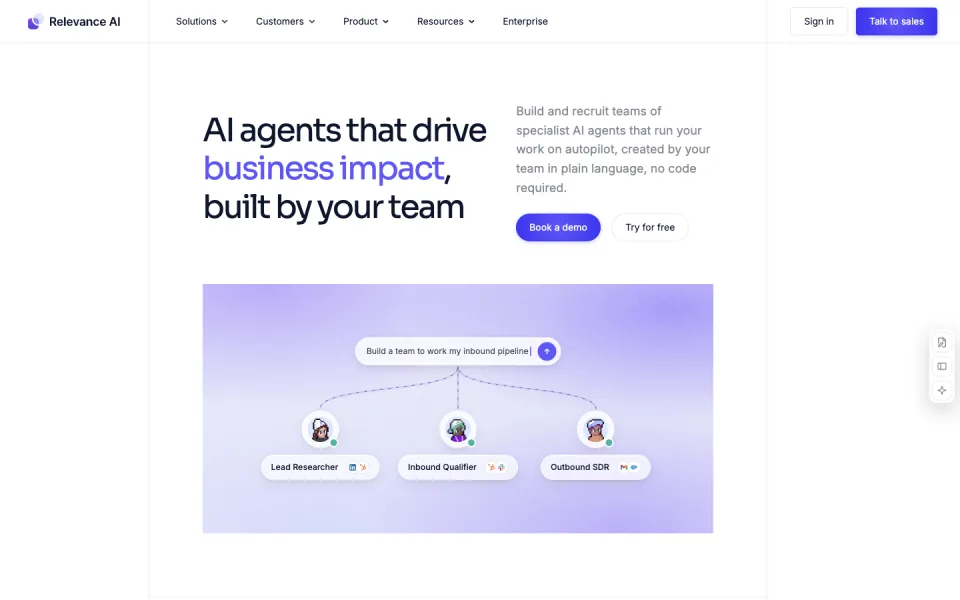
Relevance AI website preview
Official website screenshot ↗2026-10-01

Is it a fit?

Best for

Teams creating repeatable, bounded business agents.

Think twice if

A zero-configuration agent for an unspecified business task.

What it can help you do

Automate repetitive work across apps

The product supports a visual canvas, agent building from instructions, MCP access and approval nodes.

Prepare: A business workflow, reference knowledge and connected tools
Get: Agent actions, research briefs and routed business work
Your part: Define tools and approval boundaries, then evaluate sample runs

Turn meetings into follow-ups

The product supports a visual canvas, agent building from instructions, MCP access and approval nodes.

Prepare: A business workflow, reference knowledge and connected tools
Get: Agent actions, research briefs and routed business work
Your part: Define tools and approval boundaries, then evaluate sample runs

Where you still take over

  • Define tools and approval boundaries, then evaluate sample runs

Limits to know

  • Agents need task-specific tools, knowledge and evaluation setup
  • Integration and model usage costs must be checked separately from the platform plan

From input to output

What you provide

  • A business workflow, reference knowledge and connected tools

What you get

  • Agent actions, research briefs and routed business work

How to start

Have these ready

  • Task-specific tools, reference knowledge and an evaluation setup; confirm what integration and model usage the platform plan includes.
  1. Build the agent on the visual canvas from instructions that describe the business workflow and the knowledge it may reference.
  2. Connect the task-specific tools, grant MCP access where needed, and place approval nodes at the points that require human sign-off.
  3. Evaluate sample runs, review the actions and briefs it routes, and check integration and model usage costs separately from the platform plan.

Pricing, with context

Current plan prices and usage allowances were not verified. Confirm the required plan and full running cost with the provider.

Official pricing ↗

Pricing review pending

0

Published prices are a snapshot. Confirm billing cycle, taxes and current allowances with the provider.

Evidence & sources

This is an official-source review, not a hands-on test of Relevance AI. Vendor descriptions and demos are evidence of advertised features, not independent proof of results. “Best for” and review guidance are editorial judgments based on those sources.

Frequently asked questions

What does Relevance AI do?

Build specialist agents with connected tools, evaluations and approvals.

How much does Relevance AI cost?

Current plan prices and usage allowances were not verified. Confirm the required plan and full running cost with the provider.

What should I check before using Relevance AI?

Agents need task-specific tools, knowledge and evaluation setup

Other ways to get it done

Lindy

Details checked

Shared AI teammate for inbox, meetings, follow-ups, and other work.

Why it fits The pricing page lists meeting follow-up, inbox drafting, scheduled routines, and broader delegated work, with approval before external actions.

PrepareEmail and calendar connections

GetDraft replies

ReviewConnect inboxes and tools

Keep in mindActions with outside impact wait for approval
Requires setup · Paid

Fyxer

Details checked

Email assistant that organizes the inbox, drafts replies, and writes meeting follow-ups.

Why it fits The pricing FAQ says Fyxer drafts replies and leaves a post-meeting follow-up in drafts, while the user sends it.

PrepareGmail or Outlook inbox

GetCategorized inbox

ReviewConnect Gmail or Outlook

Keep in mindFyxer drafts email and does not send it
Requires setup · Free trial · AI workflow

Fireflies

Details checked

Meeting recorder that transcribes calls and exposes notes, tasks, and an email assistant.

Why it fits The pricing feature list includes meeting transcription, summaries, tasks, and an email assistant, which support post-meeting follow-up work.

PrepareCalendar-connected Zoom, Google Meet, or Microsoft Teams meeting

GetTranscript

ReviewConnect Google or Outlook

Keep in mindFree storage and AI summary allowances are limited
Requires setup · Free plan · AI workflow

Compare their inputs, outputs and setup requirements before choosing.