AI agent

OpenCode

Work on a code repository from a terminal, desktop app or IDE, with your choice of model.

Choose this for an existing repository when model flexibility matters. Start with a small reproducible issue, set spending and permission controls, and accept the result only after reviewing the diff and running your own tests.

Details checkedReviewed 2026-10-04

Decide at a glance

Best for

Developers comparing model providers while retaining control of an existing codebase.

Requires setup

Pricing, with context

Free open-source client with some free models. Optional OpenCode Go costs USD 10/month; Go Plus costs USD 40/month per subscribing workspace member. Other providers or local compute have separate costs.

Official pricing ↗

Pricing checked:

Keep in mind

Review model access, permissions and every code change; this is an official-source review, not an Agenlify hands-on test.

Check the evidence →
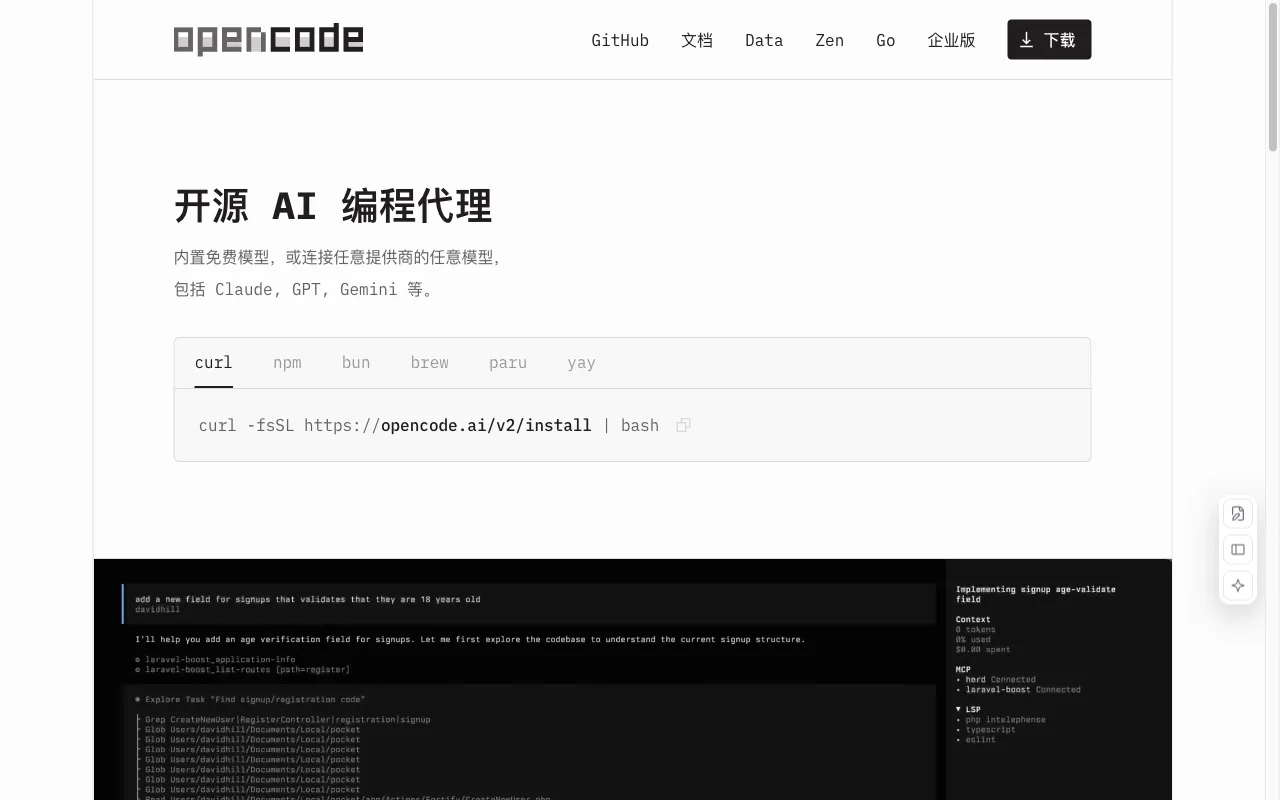
OpenCode website preview
Official website screenshot ↗2026-10-04

Is it a fit?

Best for

Developers comparing model providers while retaining control of an existing codebase.

Think twice if

A no-setup website builder or a guarantee of unattended production changes.

What it can help you do

Fix bugs in an existing project

Use OpenCode to investigate a reproducible issue in a repository, then review the proposed patch.

Prepare: A code repository and a reproducible task · A selected model and its access credentials, if required
Get: Proposed repository edits and explanations · Command and test output for human review
Your part: Choose the model and check its billing and data policy · Configure approval rules before allowing edits or shell commands · Review the diff, rerun tests and decide whether to keep the change

Build a website from an idea

Use OpenCode for a website codebase when you can manage the repository, tests and deployment yourself.

Prepare: A code repository and a reproducible task · A selected model and its access credentials, if required
Get: Proposed repository edits and explanations · Command and test output for human review
Your part: Choose the model and check its billing and data policy · Configure approval rules before allowing edits or shell commands · Review the diff, rerun tests and decide whether to keep the change

Where you still take over

  • Choose the model and check its billing and data policy
  • Configure approval rules before allowing edits or shell commands
  • Review the diff, rerun tests and decide whether to keep the change

Limits to know

  • Review model access, permissions and every code change; this is an official-source review, not an Agenlify hands-on test.
  • Go usage is capped over 5-hour, weekly and monthly windows; allowances vary by model and are not unlimited.
  • Client licensing does not determine model licensing, data retention or permission to use confidential code.

From input to output

What you provide

  • A code repository and a reproducible task
  • A selected model and its access credentials, if required

What you get

  • Proposed repository edits and explanations
  • Command and test output for human review

How to start

Have these ready

  • A supported terminal, desktop or IDE installation
  • Project access and a suitable model connection
  1. Install using the current official instructions and open a sample repository.
  2. Connect a model; confirm cost caps and data handling before sharing code.
  3. Set edit and shell permissions to ask where you need approval.
  4. Describe one small change, inspect the patch and run your project tests.

Pricing, with context

Free open-source client with some free models. Optional OpenCode Go costs USD 10/month; Go Plus costs USD 40/month per subscribing workspace member. Other providers or local compute have separate costs.

Official pricing ↗

Pricing checked:

Cost planning

  • Only one member per workspace can subscribe to Go or Go Plus. Check the current model table instead of treating the plan as a fixed number of completed tasks.
  • Enabling Use balance allows Go requests beyond the plan limits to spend the separate Zen balance.
  • Free model availability can change. Provider-specific privacy rules differ, including retention and training use.

Published prices are a snapshot. Confirm billing cycle, taxes and current allowances with the provider.

Evidence & sources

This is an official-source review, not a hands-on test of OpenCode. Vendor descriptions and demos are evidence of advertised features, not independent proof of results. “Best for” and review guidance are editorial judgments based on those sources.
  • OpenCode official overview ↗https://opencode.ai/

    Officially supports terminal, desktop and IDE workflows with a choice of model providers.

  • OpenCode Go pricing and limits ↗https://opencode.ai/docs/go/

    Go is optional. Monthly plans, model-dependent usage caps, balance fallback and privacy terms are documented separately.

  • OpenCode getting started ↗https://opencode.ai/docs/

    The setup guide covers installation, model connection and working in a project.

  • OpenCode permission controls ↗https://opencode.ai/docs/permissions/

    Permission rules can allow, ask or deny actions; most defaults allow actions, so configure approvals deliberately.

  • OpenCode client license ↗https://github.com/anomalyco/opencode/blob/dev/LICENSE

    The repository declares the MIT license for the client; model services have separate terms.

Frequently asked questions

Is OpenCode free to use?

Free open-source client with some free models. Optional OpenCode Go costs USD 10/month; Go Plus costs USD 40/month per subscribing workspace member. Other providers or local compute have separate costs.

Does OpenCode Go include unlimited coding?

Go usage is capped over 5-hour, weekly and monthly windows; allowances vary by model and are not unlimited.

Should I approve every OpenCode action?

Set approval rules to match your project. The official defaults allow most actions; use ask for edits or commands you want to review, then inspect the final diff and tests.

Other ways to get it done

Cursor

Details checked

AI code editor and coding agent for building software.

Why it fits Cursor's site positions it as a coding agent for building ambitious software with desktop, CLI, cloud agents, and automations.

PrepareA codebase or repository

GetCode edits and commits

ReviewInstall Cursor and open a project

Keep in mindAgent output needs review
Requires setup · Free plan

GitHub Copilot

Details checked

AI coding assistant and agents integrated across GitHub and editors.

Why it fits GitHub states Copilot agents plan, explore, and execute work autonomously and that it supports code review and merge.

PrepareA repository or IDE workspace

GetCode completions and edits

ReviewInstall Copilot in an IDE or use GitHub

Keep in mindRequires GitHub and IDE setup
Requires setup · Free plan

Claude Code

Details checked

Agentic coding that plans, writes code, runs tests, and opens pull requests.

Why it fits Anthropic states Claude Code handles bug fixes, tests, and multi-day migrations and opens pull requests.

PrepareA codebase repository

GetCode changes

ReviewInstall Claude Code and sign in

Keep in mindRequires a paid Claude plan or Console account
Requires setup · Paid

Compare their inputs, outputs and setup requirements before choosing.